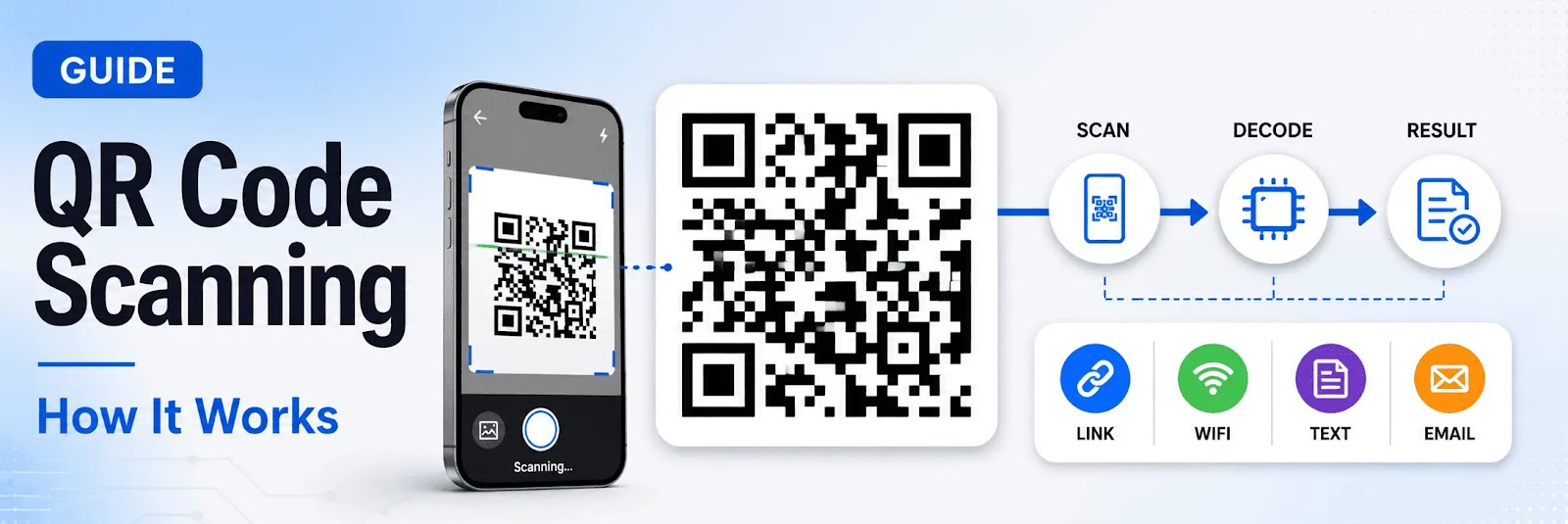
QR codes have become a standard method for accessing digital content quickly and efficiently. From opening websites to connecting to WiFi, QR code scanning is now an essential part of everyday digital interaction.
Understanding what QR code scanning is, how it works, and why it matters helps users make better use of this technology across different devices.
What Is QR Code Scanning?
QR code scanning is the process of reading and decoding information stored in a QR (Quick Response) code.
A QR code contains encoded data such as:
- Website URLs
- Text information
- WiFi credentials
- Contact details
- Login or authentication links
When scanned, the system interprets the code and displays or redirects to the embedded content.
How QR Code Scanning Works
QR code scanning involves several steps:
- The scanner detects the QR code pattern
- The code is analyzed and decoded
- The embedded data is extracted
- The result is displayed or opened
This process happens instantly using either a camera or an online QR code scanner.
Types of QR Code Scanning Methods
QR codes can be scanned in different ways depending on the device and situation.
| Method | Description | Best For |
|---|---|---|
| Camera Scanning | Uses smartphone camera to scan in real time | Quick everyday use |
| Online Scanning | Uses browser to scan via camera or image upload | Flexible, multi-device use |
| Image-Based Scanning | Reads QR codes from screenshots or saved images | Digital workflows |
Each method offers different levels of flexibility and convenience.
What Happens After Scanning a QR Code?
Once a QR code is scanned, one of the following actions typically occurs:
- Opening a website
- Connecting to a WiFi network
- Displaying text or information
- Redirecting to a login page
- Triggering a digital action
The outcome depends on the type of data stored in the QR code.
Why QR Code Scanning Matters
QR code scanning plays an important role in modern digital systems.
Instant Access
Users can access content immediately without typing URLs.
Improved Efficiency
Reduces time and effort in accessing information.
Cross-Device Compatibility
Works across mobile devices, tablets, and computers.
Contactless Interaction
Supports touch-free access to services and content.
Common Uses of QR Code Scanning
QR code scanning is widely used in:
- Marketing and advertising
- Payments and transactions
- Event access and ticketing
- WiFi sharing
- Login and authentication systems
It connects offline environments with digital platforms.
Benefits of Online QR Code Scanning
Using an online QR code scanner provides additional flexibility:
- Scan without installing apps
- Upload images or screenshots
- Use on desktop devices
- Access from any browser
This makes it a practical solution for many use cases.
Limitations of QR Code Scanning
Despite its advantages, QR code scanning may have some limitations:
- Requires a working camera or browser access
- Needs proper lighting for camera scanning
- Depends on QR code quality
However, these limitations can be minimized with modern tools.
Security Considerations
QR codes can link to external content, so users should be cautious.
Best practices include:
- Avoid scanning unknown QR codes
- Verify links before opening
- Use secure and trusted scanners
Security awareness is important for safe usage.
Final Thoughts
QR code scanning has become a fundamental technology for accessing digital content quickly and efficiently.
With support for camera scanning, image-based scanning, and online tools, users can interact with QR codes in multiple ways depending on their needs.
Conclusion
Understanding how QR code scanning works helps users take full advantage of its speed, convenience, and flexibility.
As QR code usage continues to grow, scanning technology remains a key part of modern digital interaction.